 Body Fat Percentage Chart
Add Trend Line To Excel Chart - If you no longer want to display the lines or bars, you can. Format a trend or moving average line to a chart. On the chart design tab, click add chart element, and point to trendline. Learn how to add a legend to a chart, retrieve a missing legend, and adjust its settings. Find microsoft excel help and learning resources. On your chart, click the data series to which you want to add a trendline or moving average.
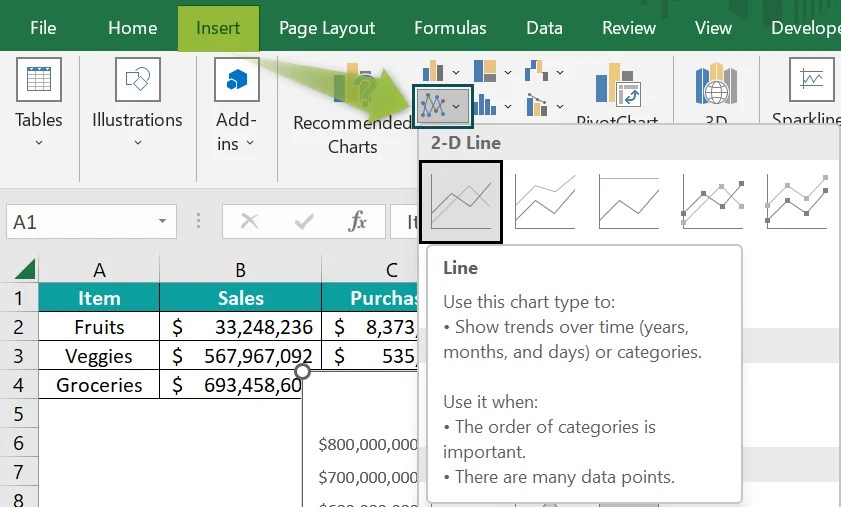
Trend Line In Excel Step By Step Examples
Add, edit, or remove a chart legend in excel. If you no longer want to display the lines or bars, you can. The type of data you have determines the type of trendline you should use. There are different trendline options that are available. When you want to add a trendline to a chart in microsoft graph, you can choose any of the six different trend/regression types.

Add Trendline In Excel Chart Excel Trendline
Select chartdesign > add chart element. Our community of experts can help with whatever you're looking for. You can insert a linear trend line, a polynomial trendline, power trendline, exponential trendline, moving average trendline. On the chart design tab, click add chart element, and point to trendline. Learn how to add a trendline in excel, powerpoint, and outlook to display visual data trends.

How To Add Multiple Trendlines In Excel (With Example)
You can insert a linear trend line, a polynomial trendline, power trendline, exponential trendline, moving average trendline. On the chart design tab, click add chart element, and point to trendline. Select trendline and then select the type of trendline you want, such as linear, exponential, linear forecast, or moving average. There are different trendline options that are available. The type of data you have determines the type of trendline you should use.

How To Add A Trendline Equation In Excel Spreadcheaters
Learn how to add a legend to a chart, retrieve a missing legend, and adjust its settings. Add a chart or graph to your presentation in powerpoint by using data from microsoft excel. On the chart design tab, click add chart element, and point to trendline. On your chart, click the data series to which you want to add a trendline or moving average.

How To Add Trendline In Excel Chart Tutorial
If you no longer want to display the lines or bars, you can. On the chart design tab, click add chart element, and point to trendline. The type of data you have determines the type of trendline you should use. Select chartdesign > add chart element. Learn how to add a legend to a chart, retrieve a missing legend, and adjust its settings.
On The Chart Design Tab
There are different trendline options that are available. Add, edit, or remove a chart legend in excel. Select trendline and then select the type of trendline you want, such as linear, exponential, linear forecast, or moving average. Add a chart or graph to your presentation in powerpoint by using data from microsoft excel.
Find Microsoft Excel Help And Learning Resources
If you no longer want to display the lines or bars, you can. On your chart, click the data series to which you want to add a trendline or moving average. Learn how to add a legend to a chart, retrieve a missing legend, and adjust its settings. You can insert a linear trend line, a polynomial trendline, power trendline, exponential trendline, moving average trendline.
When You Want To Add A Trendline
The type of data you have determines the type of trendline you should use. Our community of experts can help with whatever you're looking for. Select chartdesign > add chart element. Format a trend or moving average line to a chart.