 Body Fat Percentage Chart
Confluence Gantt Chart - In summary, adding a gantt chart to confluence involves selecting a suitable plugin, creating the chart within the platform, and customizing it to reflect your project’s specifics. Learn how to build a gantt chart in confluence: This blog shows you how to integrate tasks, milestones, and events,. Discover how you can easily create gantt charts to visualize project timelines with the table filter and charts app in confluence. Easy team integrationbest for team projectsonly trusted top brandsfree trials & plans How to make gantt chart in confluence [2025 guide] in today's video we are covering:

Easy team integrationbest for team projectsonly trusted top brandsfree trials & plans This blog shows you how to integrate tasks, milestones, and events,. If you want to document and visualize project tasks in confluence, you can make simple gantt chart using. You simply use the familiar confluence editor to add data or copy an existing table. Gantt chart is one of the most commonly used ways to visualize project tasks.

How To Create A Gantt Chart In Confluence
Reviewed by 1,000scompare top 10 brandsconsumervoice.org pickstrusted reviews Learn how to build a gantt chart in confluence: How to use charts in confluence, gantt chart in confluence, con.more. In summary, adding a gantt chart to confluence involves selecting a suitable plugin, creating the chart within the platform, and customizing it to reflect your project’s specifics. Get a bird’s eye view of projects and track progress with ease.

Flexible pricingcustomizable reportseasy time trackingautomated time tracking Get started for freecloud or server optionempower teamworkthe #1 most trusted tool How to use charts in confluence, gantt chart in confluence, con.more. Get a bird’s eye view of projects and track progress with ease. How to make gantt chart in confluence [2025 guide] in today's video we are covering:

Discover how you can easily create gantt charts to visualize project timelines with the table filter and charts app in confluence. Gantt chart is one of the most commonly used ways to visualize project tasks. Learn how to build a gantt chart in confluence: Get started for freecloud or server optionempower teamworkthe #1 most trusted tool Easy team integrationbest for team projectsonly trusted top brandsfree trials & plans.
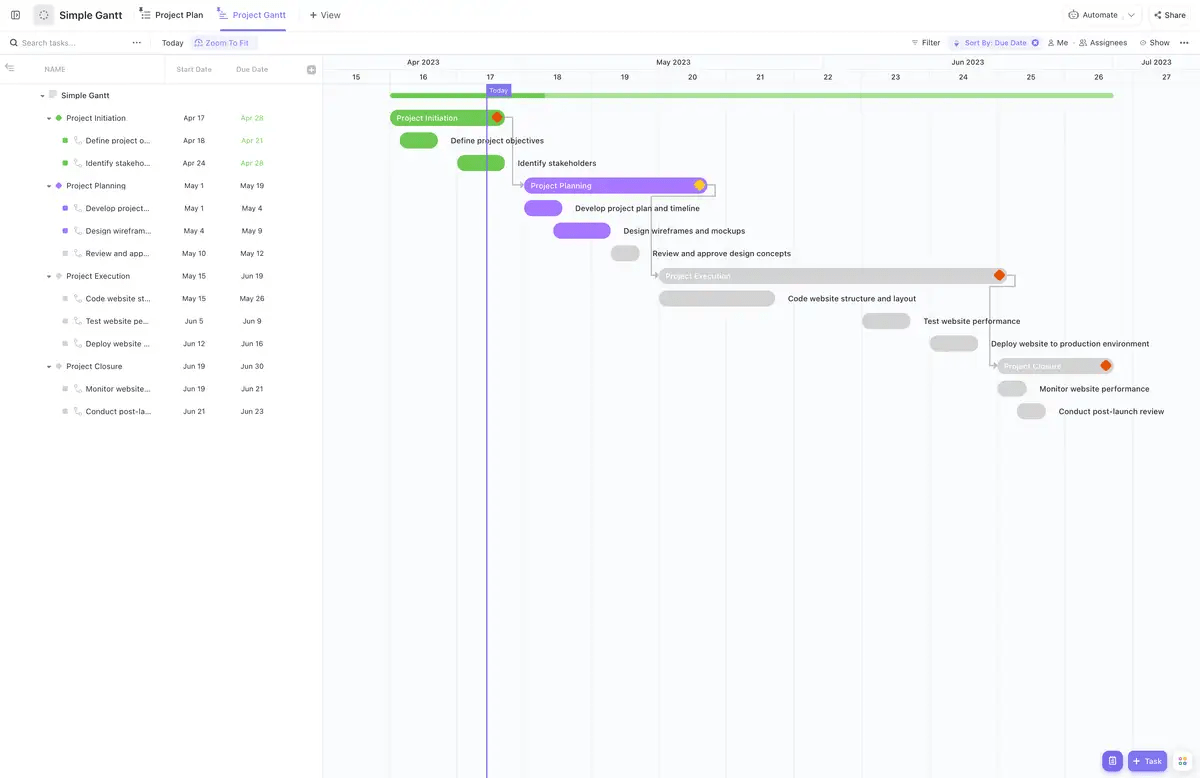
How To Create A Gantt Chart In Confluence
This blog shows you how to integrate tasks, milestones, and events,. From native roadmap planner to advanced timelines created from tables, jira work items, and external data. In summary, adding a gantt chart to confluence involves selecting a suitable plugin, creating the chart within the platform, and customizing it to reflect your project’s specifics. Gantt chart is one of the most commonly used ways to visualize project tasks.
Flexible Pricingcustomizable Reportseasy Time Trackingautomated Time Tracking
Get started for freecloud or server optionempower teamworkthe #1 most trusted tool Learn how to build a gantt chart in confluence: Easy team integrationbest for team projectsonly trusted top brandsfree trials & plans How to make gantt chart in confluence [2025 guide] in today's video we are covering:
This Blog Shows You How To Integrate Tasks
Learn how to create a gantt chart in confluence in just a few simple steps. In summary, adding a gantt chart to confluence involves selecting a suitable plugin, creating the chart within the platform, and customizing it to reflect your project’s specifics. Discover how you can easily create gantt charts to visualize project timelines with the table filter and charts app in confluence. Gantt chart is one of the most commonly used ways to visualize project tasks.
Confluence, Gantt Chart
You simply use the familiar confluence editor to add data or copy an existing table. From native roadmap planner to advanced timelines created from tables, jira work items, and external data. Using easy gantt charts for confluence, you can now create gantt charts from table data. Reviewed by 1,000scompare top 10 brandsconsumervoice.org pickstrusted reviews
Get A Bird’s Eye View Of Projects And Track
If you want to document and visualize project tasks in confluence, you can make simple gantt chart using.