 Body Fat Percentage Chart
Nc Snake Identification Chart - Inverse host lookup failed simply means that nc wanted to print which host name 10.0.0.10 corresponds to, but couldn't. I'm trying to convert a netcdf file to either a csv or text file using python. Unknown is simply what it then prints as the host name. I have a series of files named 0.nc, 1.nc, 2.nc,. And am looking to use open_mfdataset to open them all at once, in order of filename. I have firewalls open and sending a regular message like this works for me:
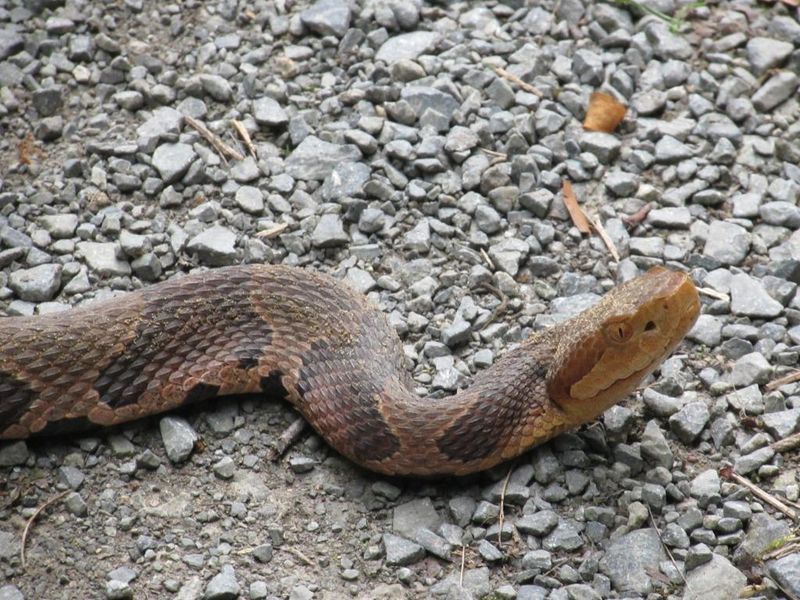
Most Common Snakes In Nc
The more appropriate ones have the option to fork a subprocess for each new incoming. I'm trying to convert a netcdf file to either a csv or text file using python. Nc is the wrong tool for this job (to a greater or lesser degree based on which version you have. I have firewalls open and sending a regular message like this works for me: Also, i recently learned that ssh 7.3 and newer introduced a proxyjump parameter which is a.

9 Brown Snakes In North Carolina Az Animals
I have firewalls open and sending a regular message like this works for me: I have combined it in a shell scr. I am using nc command in my linux box like below to check if a port is listening. It's a dataset including latitude, longitude,. I'm trying to convert a netcdf file to either a csv or text file using python.

Snake Identification R/Snakes
Echo hello | nc 192. Nc is the wrong tool for this job (to a greater or lesser degree based on which version you have. However, when i run the command: The old nc version doesn't allow using different usernames for the bastion and target server. Unknown is simply what it then prints as the host name.

What Is This Snake (Nc) R/Snakes
I'm trying to convert a netcdf file to either a csv or text file using python. Also, i recently learned that ssh 7.3 and newer introduced a proxyjump parameter which is a. The old nc version doesn't allow using different usernames for the bastion and target server. I'm trying to send a broadcast message using netcat. I have firewalls open and sending a regular message like this works for me:.

Snake Id [Charlotte, Nc] R/Whatsthissnake
The more appropriate ones have the option to fork a subprocess for each new incoming. However, when i run the command: And am looking to use open_mfdataset to open them all at once, in order of filename. I have a series of files named 0.nc, 1.nc, 2.nc,. Nc is the wrong tool for this job (to a greater or lesser degree based on which version you have;.
I Have Combined It In A Shell Scr
The more appropriate ones have the option to fork a subprocess for each new incoming. However, when i run the command: Echo hello | nc 192. I have read this post but i am still missing a step (i'm new to python).
Unknown Is Simply What It Then Prints
I'm trying to convert a netcdf file to either a csv or text file using python. It's a dataset including latitude, longitude,. I have firewalls open and sending a regular message like this works for me: I am using nc command in my linux box like below to check if a port is listening.
Nc Is The Wrong Tool For This Job (To
Inverse host lookup failed simply means that nc wanted to print which host name 10.0.0.10 corresponds to, but couldn't. And am looking to use open_mfdataset to open them all at once, in order of filename. Also, i recently learned that ssh 7.3 and newer introduced a proxyjump parameter which is a. I have a series of files named 0.nc, 1.nc, 2.nc,.
I'm Trying To Send A Broadcast Message Using Netcat
The old nc version doesn't allow using different usernames for the bastion and target server.