 Body Fat Percentage Chart
Org Chart In Powerpoint - In the choose a smartart graphic gallery, click hierarchy. Choose an org chart from the search results. Csv import/office exportthousands of templatesimport & export visio To change the look of an org chart, see change the color, style,. Once you've created an org chart using a smartart graphic, you might want to change the color, style, or layout. If you have lots of data to chart, create your chart in excel, and then copy it into your presentation.

Microsoft Powerpoint Org Chart Template
Download the apphundreds of templatesexplore resourcesseamless integrations In the choose a smartart graphic gallery, click hierarchy. You can make a chart in powerpoint or excel. This is also the best way if your data changes. Csv import/office exportthousands of templatesimport & export visio

Org Chart In Powerpoint Shop Clearance Brunofuga.adv.br
To change the look of an org chart, see change the color, style,. Copilot in microsoft 365try for freeview microsoft 365 plansshop microsoft 365 plans You can make a chart in powerpoint or excel. If you have lots of data to chart, create your chart in excel, and then copy it into your presentation. In the choose a smartart graphic gallery, click hierarchy.
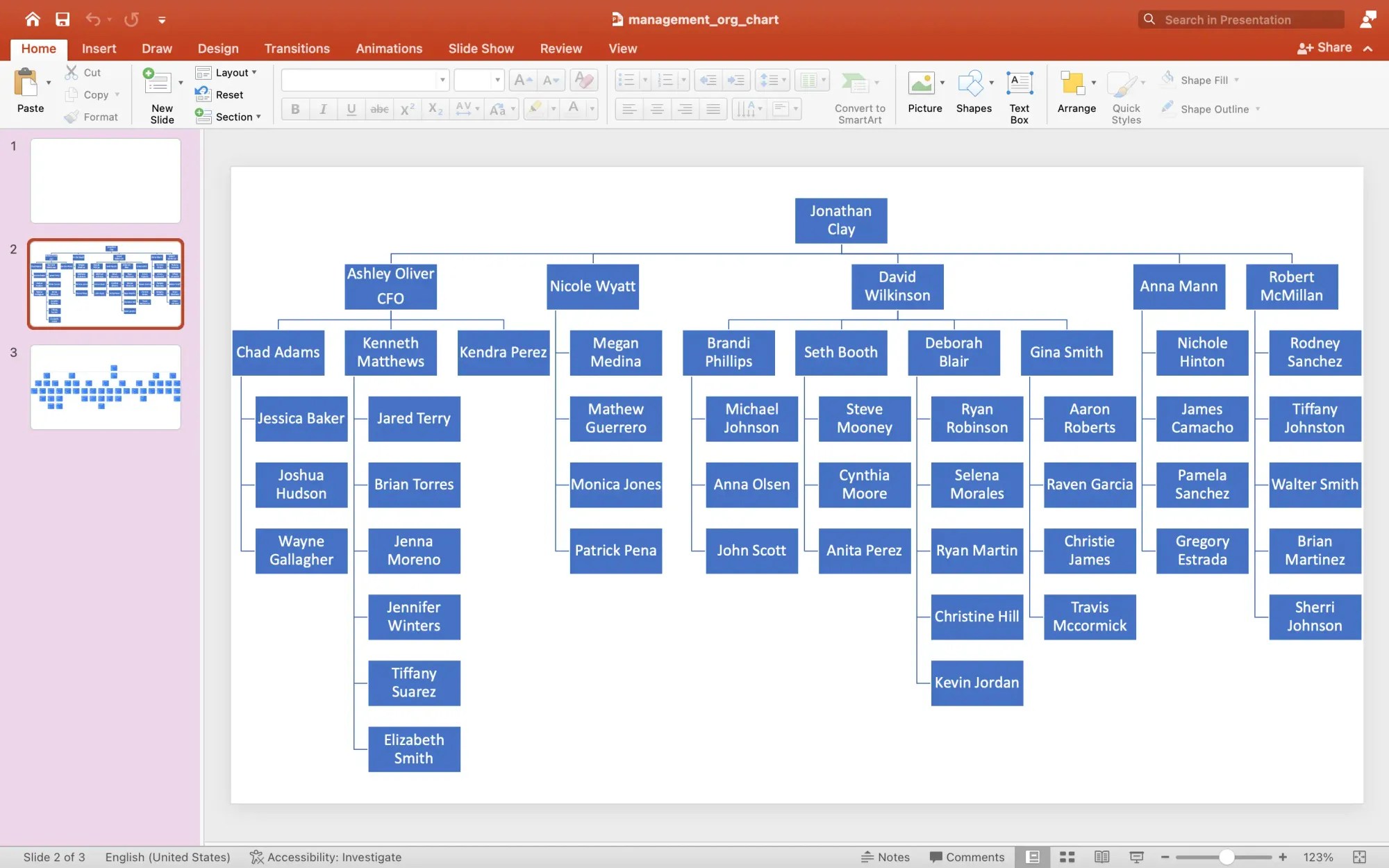
Does Microsoft Powerpoint Have An Org Chart
To change the look of an org chart, see change the color, style,. You can make a chart in powerpoint or excel. Copilot in microsoft 365try for freeview microsoft 365 plansshop microsoft 365 plans With smartart on the insert tab, in the illustrations group, click smartart. This is also the best way if your data changes.

Org Chart Powerpoint Template Cometp
To change the hierarchy in the chart, select an item, and on the smartart tab, select the promote or demote option. You can create, download, and customize a powerpoint org chart template. You can make a chart in powerpoint or excel. Csv import/office exportthousands of templatesimport & export visio To change the look of an org chart, see change the color, style,.

Does Microsoft Powerpoint Have An Org Chart
This is also the best way if your data changes. You can make a chart in powerpoint or excel. Download the apphundreds of templatesexplore resourcesseamless integrations You can create, download, and customize a powerpoint org chart template. Start with the organization chart wizard
Each Bullet Item Represents A Separate Person
With smartart on the insert tab, in the illustrations group, click smartart. In the choose a smartart graphic gallery, click hierarchy. This is also the best way if your data changes. Learn how to use a template to create an org chart in powerpoint.
If You Have Lots Of Data To Chart
Create a polished and professional org chart that shows the relationships among employees, team members, and departments. Start with the organization chart wizard You can make a chart in powerpoint or excel. Copilot in microsoft 365try for freeview microsoft 365 plansshop microsoft 365 plans
Once You've Created An Org Chart Using A Smartart
There haven’t been any significant updates to this add. Download the apphundreds of templatesexplore resourcesseamless integrations Choose an org chart from the search results. You can create, download, and customize a powerpoint org chart template.
Csv Import/Office Exportthousands Of Templatesimport & Export Visio
To change the look of an org chart, see change the color, style,. To change the hierarchy in the chart, select an item, and on the smartart tab, select the promote or demote option.