 Body Fat Percentage Chart
Stacked Bar Chart Excel - Tips on layout, data selection & customization for clear, effective data presentation. Learn to create a stacked bar chart in excel. Here we learn to create stacked column and bar charts, with examples & downloadable template. In this tutorial, we will see what a stacked bar chart is, its types and how you can quickly create one. Learn, download workbook and practice. Learn to craft impactful stacked bar charts in excel with ease.

Creating A Stacked Bar Chart In Excel
Learn, download workbook and practice. Learn to craft impactful stacked bar charts in excel with ease. Download our sample workbook here to practice along the guide. Visualize your data effectively and enhance your presentation skills effortlessly. This article describes the way of making a stacked bar chart in an excel worksheet by using quick analysis tool and insert chart menu.

Stacked Bar Chart Excel
Learn to craft impactful stacked bar charts in excel with ease. Learn, download workbook and practice. Here we learn to create stacked column and bar charts, with examples & downloadable template. Learn to create a stacked bar chart in excel. This article describes the way of making a stacked bar chart in an excel worksheet by using quick analysis tool and insert chart menu.
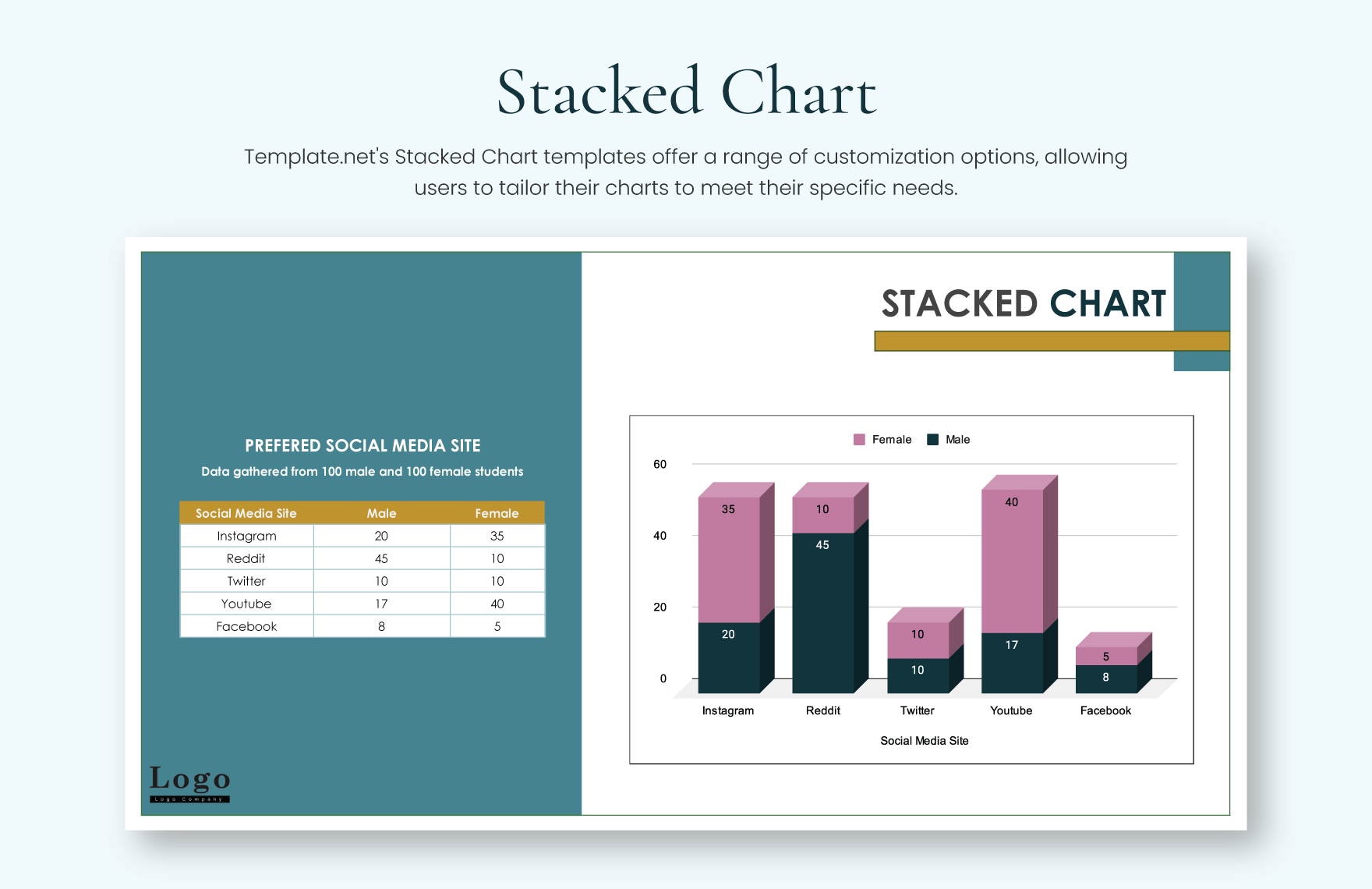
Stacked Bar Chart Marketing Stats Template Google Sheets, Excel
From the charts group, pick a stacked bar chart or a clustered bar chart. Guide to stacked chart in excel. Learn, download workbook and practice. Head to the insert tab on the excel ribbon after selecting the data range (including headers). In this tutorial, we will see what a stacked bar chart is, its types and how you can quickly create one.

Building A Stacked Bar Chart In Excel
Learn to create a stacked bar chart in excel. Tips on layout, data selection & customization for clear, effective data presentation. In this tutorial, we will see what a stacked bar chart is, its types and how you can quickly create one. This article describes the way of making a stacked bar chart in an excel worksheet by using quick analysis tool and insert chart menu.

Excel Stacked Bar Chart Grouped At Phyllis Mosier Blog
In this tutorial, we will see what a stacked bar chart is, its types and how you can quickly create one. Learn, download workbook and practice. Head to the insert tab on the excel ribbon after selecting the data range (including headers). From the charts group, pick a stacked bar chart or a clustered bar chart. Learn to craft impactful stacked bar charts in excel with ease.
Head To The Insert Tab On The Excel Ribbon
This article describes the way of making a stacked bar chart in an excel worksheet by using quick analysis tool and insert chart menu. Learn, download workbook and practice. In this tutorial, we will see what a stacked bar chart is, its types and how you can quickly create one. Download our sample workbook here to practice along the guide.
Visualize Your Data Effectively And Enhance Your Presentation Skills
Learn to craft impactful stacked bar charts in excel with ease. Here we learn to create stacked column and bar charts, with examples & downloadable template. Learn to create a stacked bar chart in excel. From the charts group, pick a stacked bar chart or a clustered bar chart.
Guide To Stacked Chart In Excel
Tips on layout, data selection & customization for clear, effective data presentation.